
Bankruptcy trustees handle complex, document-heavy workflows that involve reviewing petitions, tracking assets, managing cases, and ensuring compliance. Much of this work is repetitive and time-consuming.
With the right automation tools and systems, trustees can streamline these workflows, reduce administrative burden, and improve efficiency.
In this guide, we break down the full bankruptcy trustee workflow and show how automation can be applied at each stage.
🧠 What Is Bankruptcy Trustee Workflow Automation?
Workflow automation refers to using software tools to automate repetitive tasks such as:
- Data entry
- Document generation
- Case tracking
- Communication
- Scheduling
- Reporting
Instead of manually handling each step, automation tools can complete tasks instantly or trigger actions based on predefined rules.
⚖️ Overview of the Chapter 7 Trustee Workflow
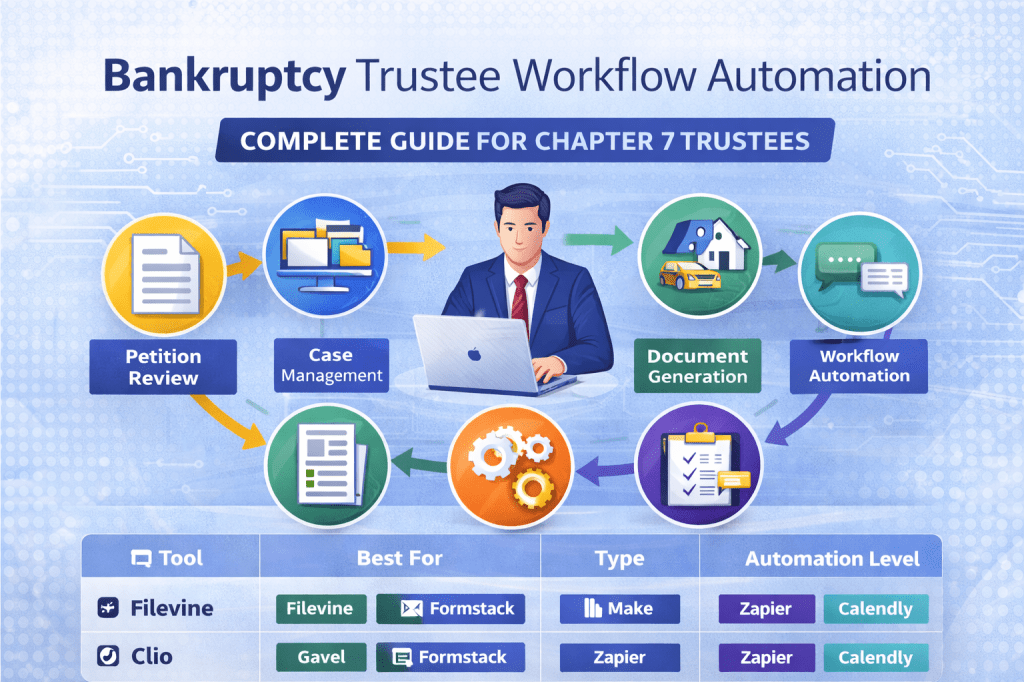
A typical Chapter 7 trustee workflow includes:
- Petition and schedule review
- Case setup and administration
- Asset identification and tracking
- Document generation and notices
- Communication with attorneys and parties
- Reporting and compliance
Each of these steps can be partially or fully automated.
🔍 Step 1: Petition and Schedule Review
The Challenge
Trustees must review large volumes of petitions, schedules, and financial disclosures.
Automation Opportunities
- Extract and organize data automatically
- Flag inconsistencies or missing information
- Route cases based on complexity
Recommended Tools
- Filevine
- Gavel
📂 Step 2: Case Management and Administration
The Challenge
Tracking multiple cases, deadlines, and tasks can become overwhelming.
Automation Opportunities
- Automatically create case records
- Assign tasks based on case type
- Track deadlines and updates
- Centralize all case data
Recommended Tools
- Clio
- Filevine
- Best Case
- Jubilee
👉 Related article: Best Case Management Software for Trustees
👉 Related article: Alternatives to Best Case Bankruptcy software
💼 Step 3: Asset Tracking and Management
The Challenge
Trustees must identify, track, and manage assets across cases.
Automation Opportunities
- Track assets in structured systems
- Link assets to cases automatically
- Generate asset reports
Recommended Tools
👉 Related article: How Trustees Track Assets Efficiently
📄 Step 4: Document Generation and Notices
The Challenge
Trustees frequently generate standard documents, notices, and reports.
Automation Opportunities
- Auto-generate documents from templates
- Populate data automatically
- Trigger document creation based on events
Recommended Tools
- Gavel
- Formstack
👉 Related article: Document Automation for Bankruptcy Trustees
⚙️ Step 5: Workflow Automation
The Challenge
Manual workflows slow down processes and increase errors.
Automation Opportunities
- Trigger workflows automatically
- Send notifications and reminders
- Sync data across tools
Recommended Tools
- Make
- Zapier
👉 Related article: How to Automate Bankruptcy Trustee Workflows
💬 Step 6: Communication and Scheduling
The Challenge
Trustees communicate with attorneys, courts, and stakeholders regularly.
Automation Opportunities
- Automated email updates
- Appointment scheduling
- Reminder notifications
Recommended Tools
- Calendly
- Smith.ai
👉 Related article: Scheduling Tools for Bankruptcy Trustees
📊 Step 7: Reporting and Compliance
The Challenge
Trustees must generate reports and ensure compliance with court requirements.
Automation Opportunities
- Generate reports automatically
- Track compliance deadlines
- Maintain audit trails
👉 Related article: Tools for Bankruptcy Compliance and Reporting
🔄 Example Automated Trustee Workflow
Here’s what a modern automated workflow can look like:
- Petition data is captured and organized automatically
- Case is created in case management system
- Tasks and deadlines are assigned automatically
- Documents are generated from templates
- Notifications and reminders are sent
- Reports are generated with minimal manual work
This reduces manual effort and improves consistency.
🚀 Benefits of Workflow Automation for Trustees
Automation can help trustees:
- Save significant time
- Reduce manual data entry
- Improve accuracy
- Standardize processes
- Handle more cases efficiently
- Reduce administrative burden
Even partial automation can make a major difference.
⚖️ How to Get Started
You don’t need to automate everything at once.
Start with:
- Intake and data collection
- Case management system
- Document automation
- Workflow automation tools
Then gradually expand your automation system.
💡 Final Thoughts
Bankruptcy trustee workflows are highly structured and repeatable, making them ideal for automation. By implementing the right tools, trustees can significantly improve efficiency and reduce manual work.
Firms that adopt automation early will be better positioned to handle higher case volumes and operate more effectively.
📌 Summary
Best for case management: Filevine, Clio
Best for document automation: Gavel, Formstack
Best for workflow automation: Make, Zapier
Best for scheduling: Calendly
Overall: Workflow automation is one of the most impactful upgrades for bankruptcy trustees
📌 Affiliate Disclosure
Some links on this page may be affiliate links. This means we may earn a commission if you sign up through these links at no additional cost to you.
We only recommend tools that are relevant for bankruptcy professionals and provide real value.


Leave a comment